AI Console

Proprietary AI Operations Console

A complete operations console — content, search, social, growth, and commerce — with AI embedded in real workflows.

This page describes the full console. Modules can be enabled for marketing-site ops or commerce growth. Images and copy for every module are editable in the marketing CMS.

The full edition includes AI Growth OS, commerce, and sales analysis. Marketing deployments can trim the nav while keeping the ability to expand later.

Operations dashboard screen
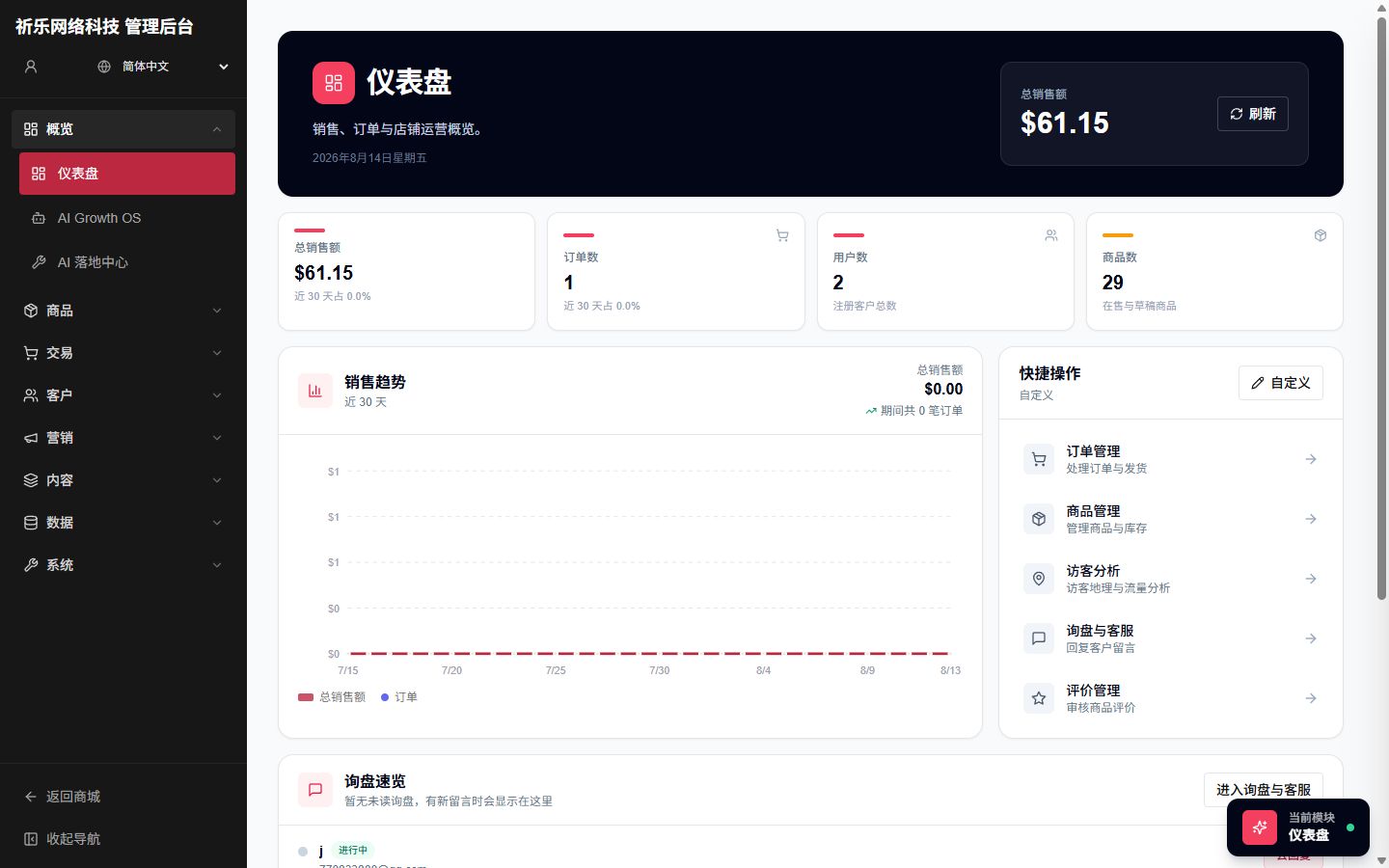

Overview

Operations Dashboard

One screen for inquiries, content, and visitor KPIs

Aggregate the KPIs that matter for site and store ops, with shortcuts into content, SEO, support, and analytics.

  • Inquiry, template, gallery, and visitor overview
  • Configurable quick actions for daily ops
  • Fits marketing-site or commerce-focused views
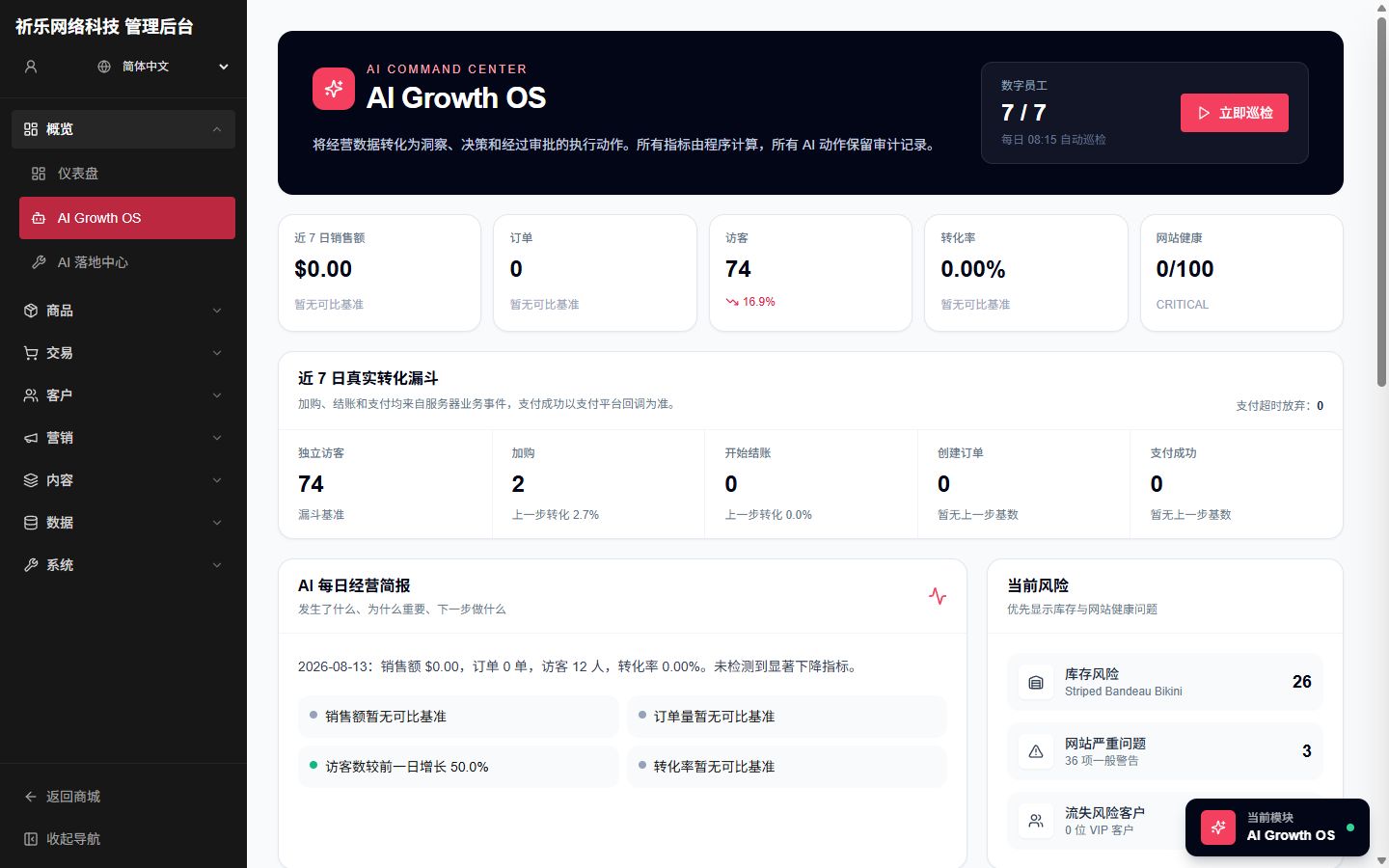
AI Growth OS screen
AI Growth OS screen

AI Growth

AI Growth OS

Digital agents, daily briefs, and approvable actions

An evidence-driven growth OS: domain agents propose work, daily briefs summarize priorities, and critical actions require propose → approve → execute.

  • Multi-domain agents with run history
  • Optional LLM-enhanced daily briefs
  • Human approval before changes go live
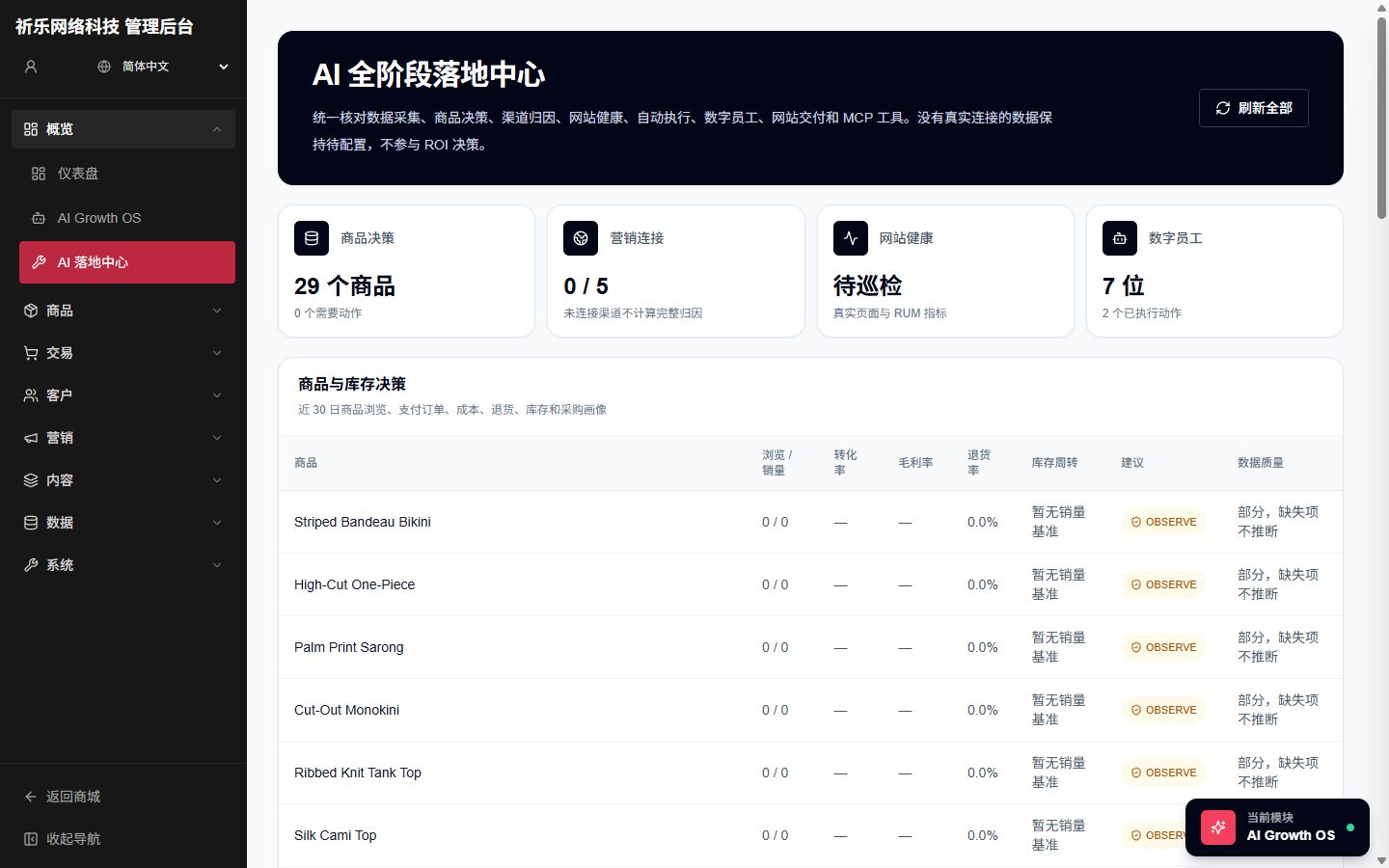
AI operations hub screen

AI Growth

AI Operations Hub

Product decisions, ads attribution, site health, delivery drafts

Turn growth ideas into work: product decision profiles, ad connectors and attribution, site-health crawls, MCP tools, and delivery drafts — with honest “not configured” states.

  • Product, ads, and site-health in one hub
  • No fake ROAS when spend data is missing
  • High-risk publishes require extra approval
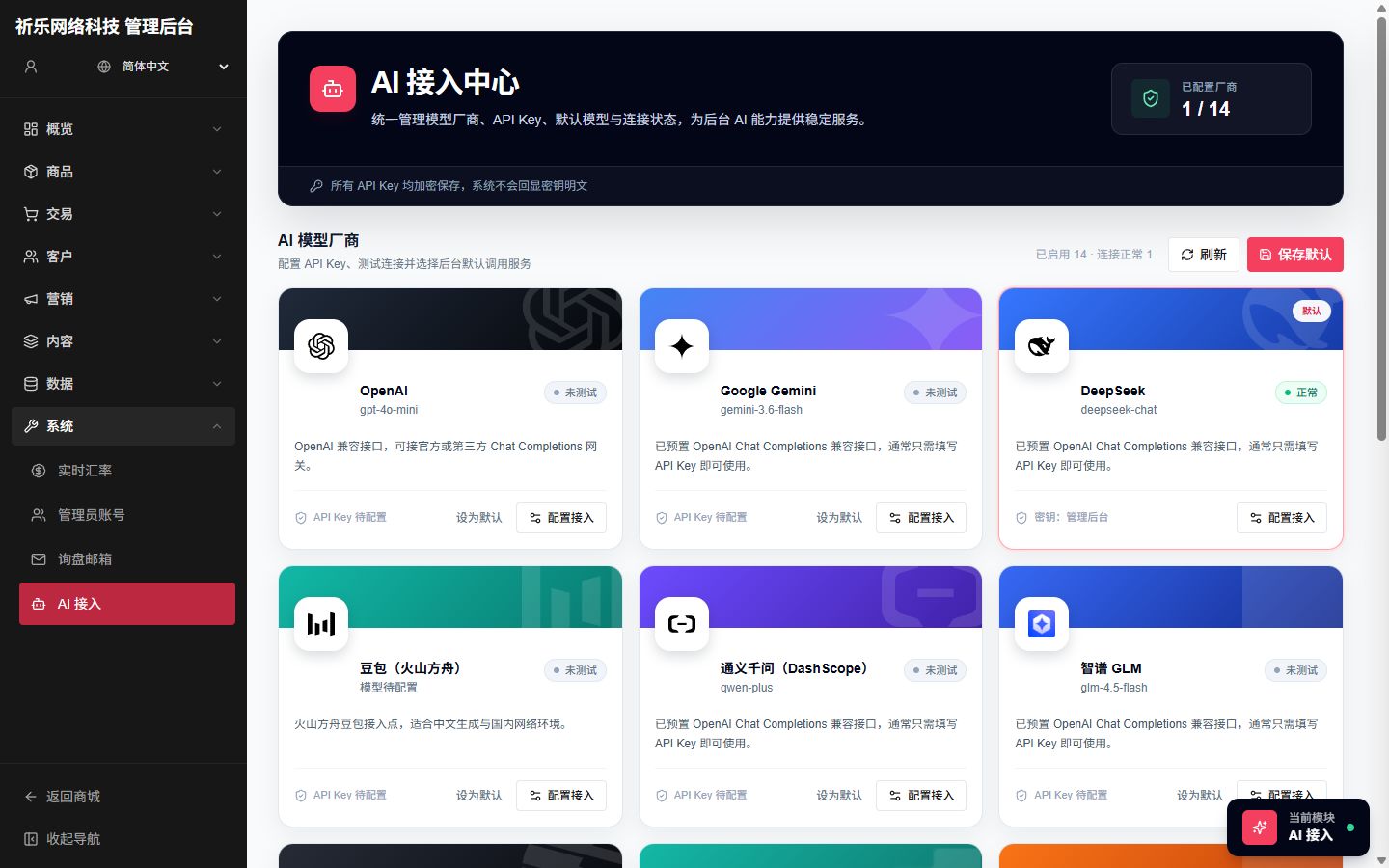
AI model hub screen
AI model hub screen

System

AI Model Hub

Multi-provider hub with encrypted keys and connection tests

Manage 14 providers including OpenAI, Doubao, DeepSeek, Qwen, and Zhipu. Keys are encrypted; set defaults and test connectivity. SEO, galleries, and sales advice share this hub.

  • Configure once, reuse across AI features
  • Domestic, global, and custom OpenAI-compatible endpoints
  • Visible connection status for troubleshooting
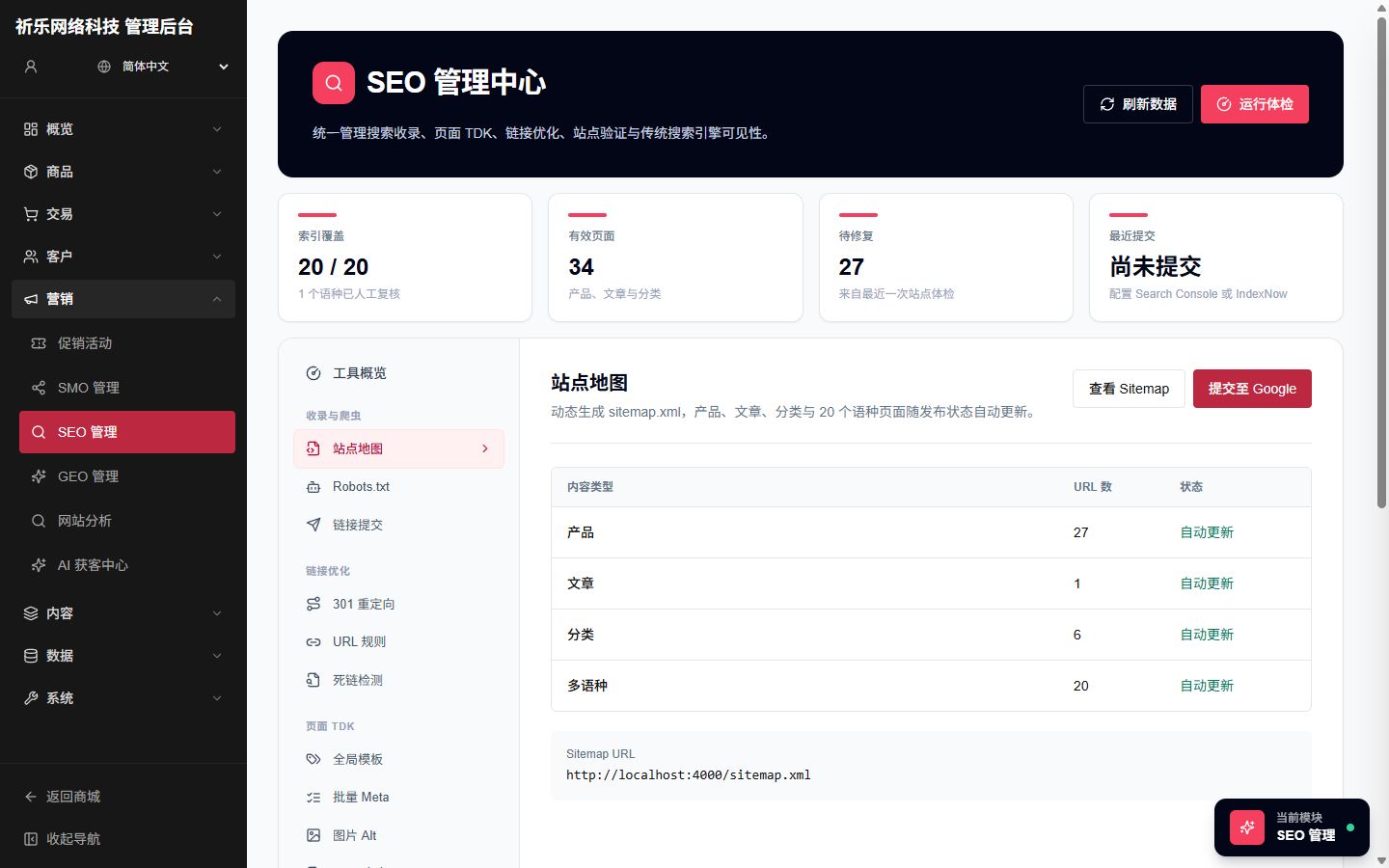
SEO command center screen

Growth Marketing

SEO Command Center

TDK, sitemap, internal links, articles, diagnostics

Manage indexing, page meta, keywords, redirects, dead links, and webmaster verification. Generate article and TDK candidates with AI and publish the picks you approve.

  • Dynamic sitemap, robots, and submission tools
  • AI article drafting and SEO candidates
  • Site diagnostics with actionable findings
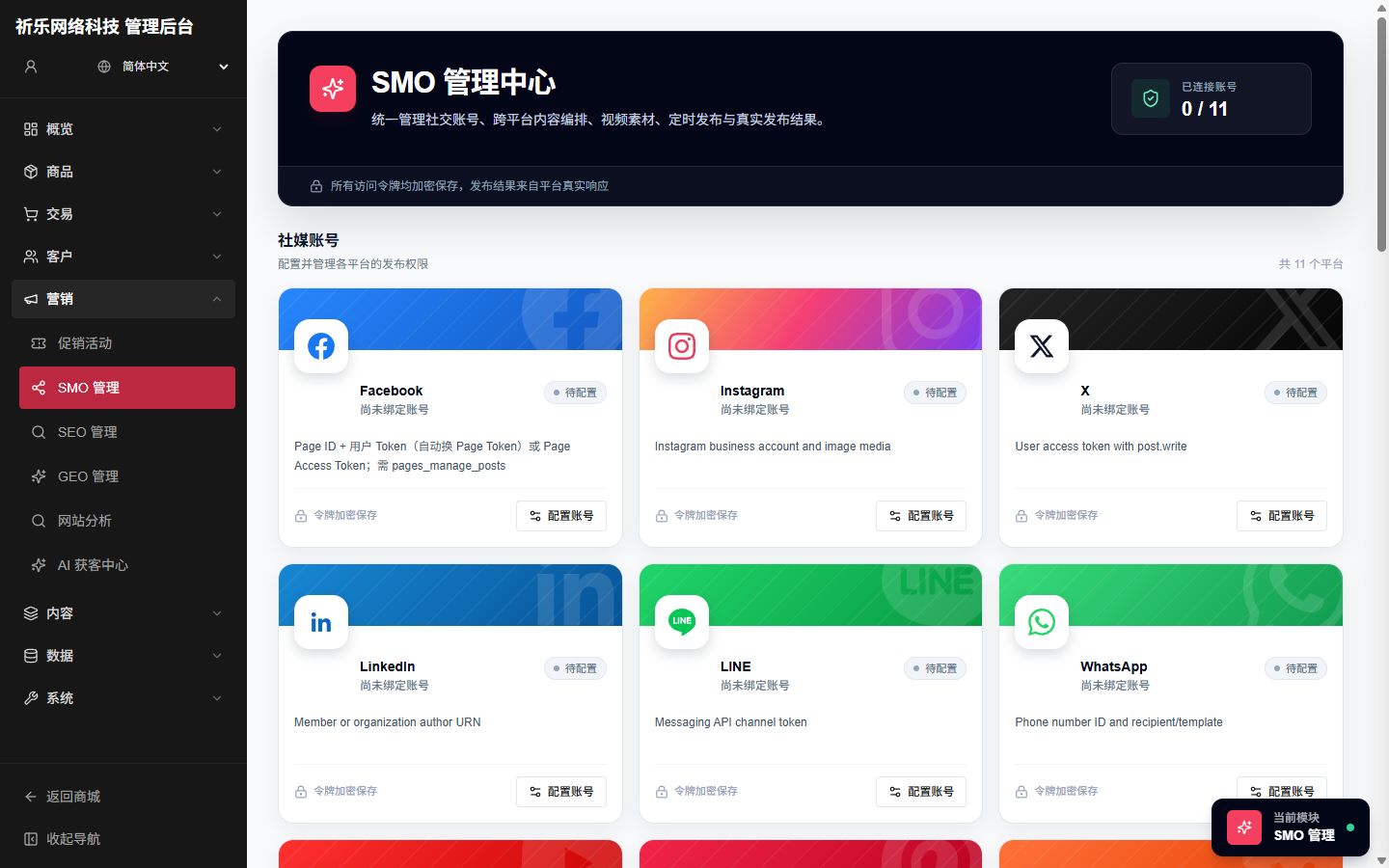
SMO social publishing screen

Growth Marketing

SMO / Social Publishing

Multi-platform content scheduling and publishing

Social publishing workflows for brand teams: connect platform accounts, reuse assets, and keep a publish history instead of hopping between native dashboards.

  • Multi-platform accounts and content planning
  • Reuse gallery assets across posts
  • Traceable publish status and history
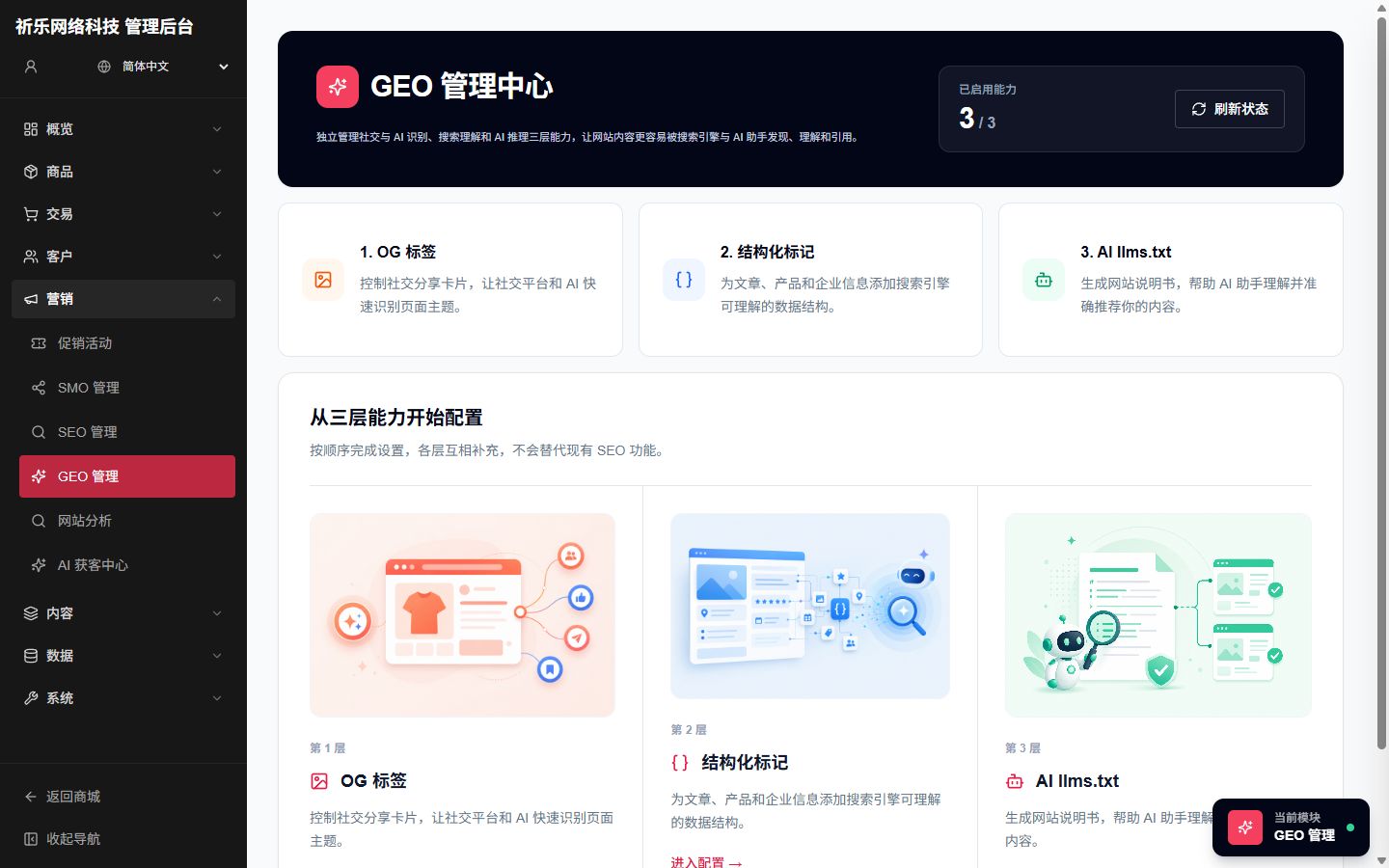
GEO management screen

Growth Marketing

GEO & AI Visibility

Multilingual llms.txt and localized visibility

Built for AI retrieval and local visibility: generate and publish per-locale llms.txt, and manage geo/localization settings so brand content is easier for AI and search systems to understand.

  • Generate and publish multilingual llms.txt
  • Localized paths and market visibility
  • Works with the SEO stack — not a silo
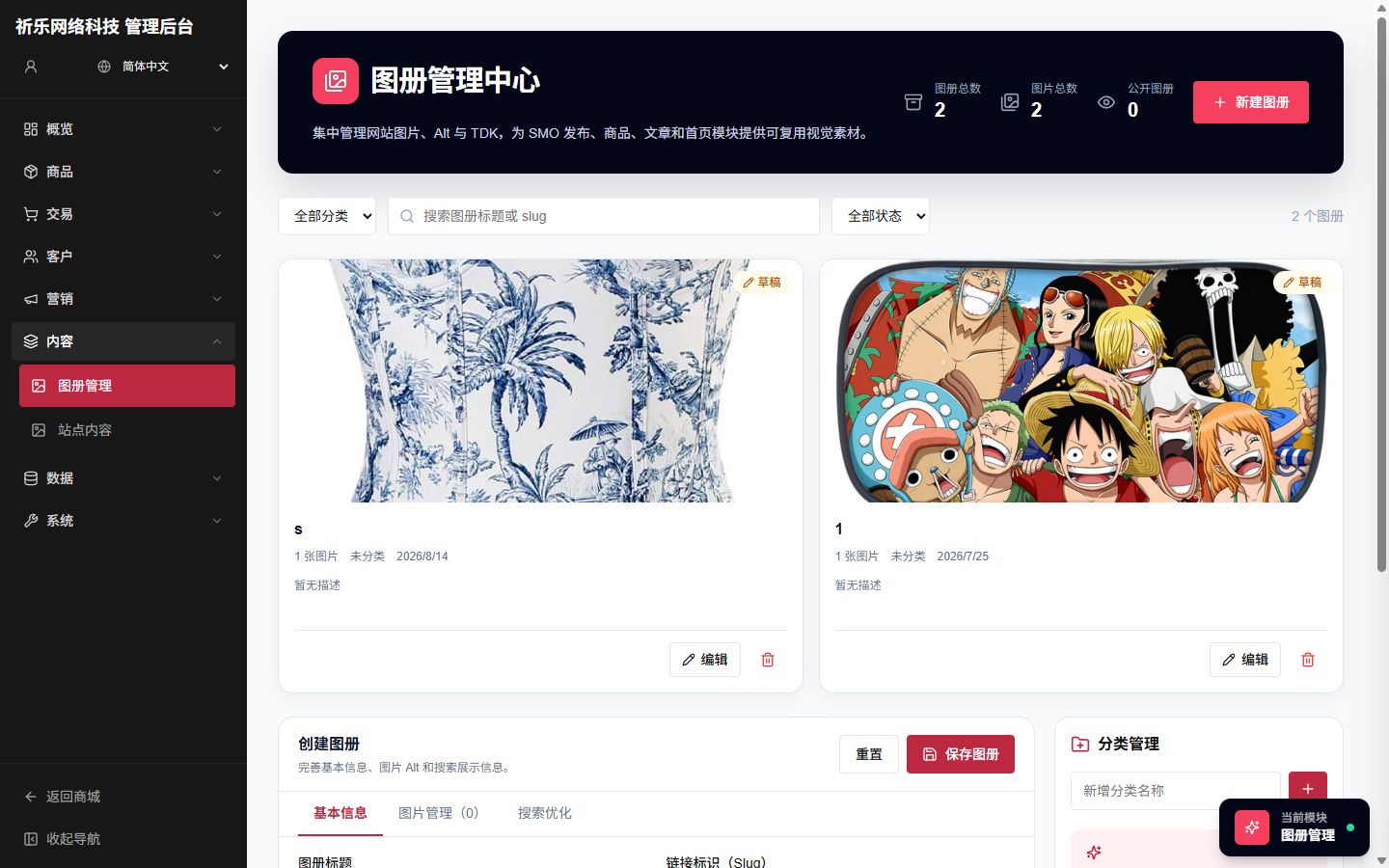
Gallery management screen

Content

Gallery Management

Visual asset library with AI TDK candidates

Centralize site images, alt text, and search fields. Generate Title / Keywords / Description candidates for albums and write back the picks you choose.

  • Categories, visibility, and bulk asset ops
  • Album-level search optimization fields
  • AI TDK generation with human selection
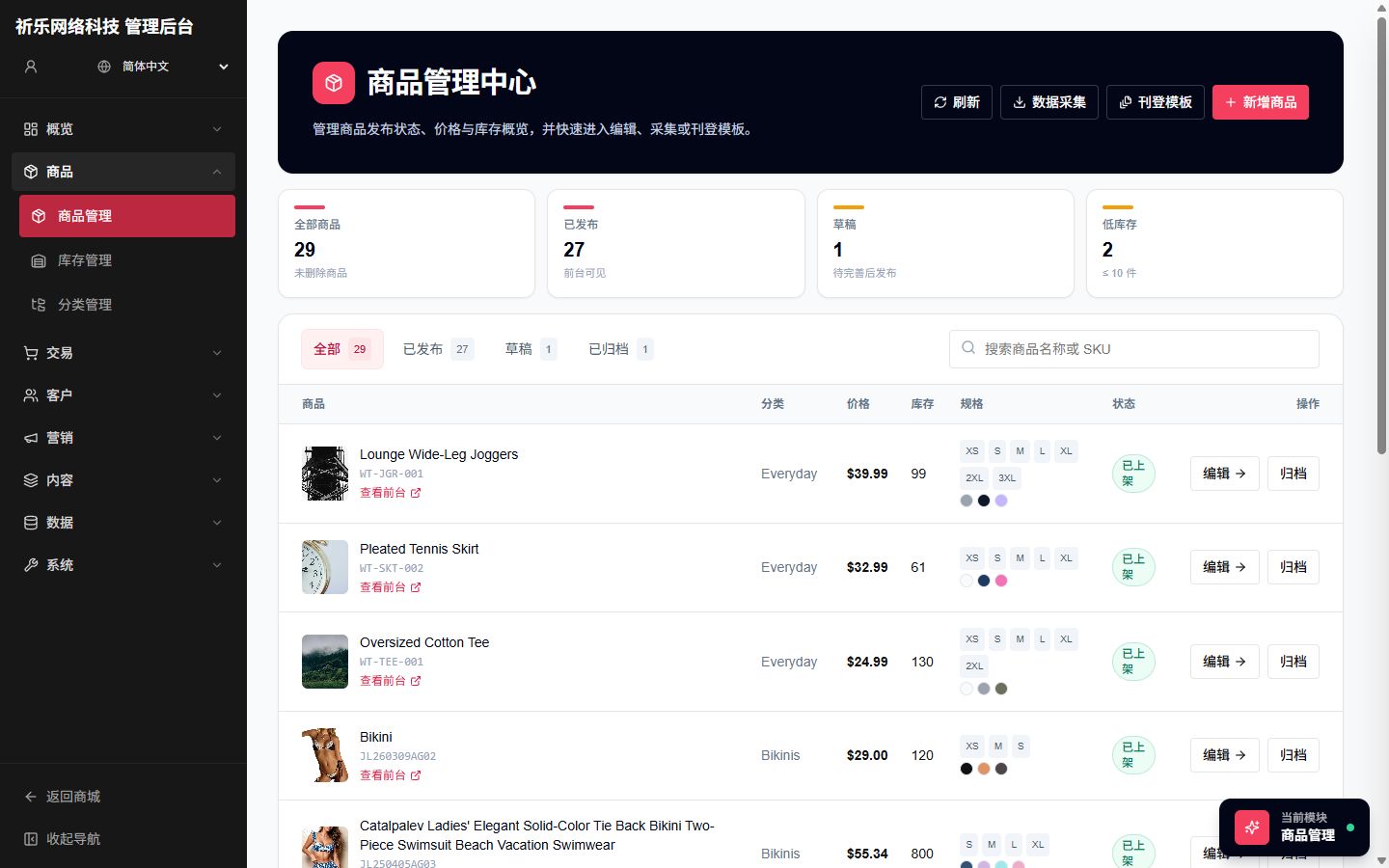
Product management screen

Commerce

Products / Inventory / Categories

Full commerce catalog and inventory

The full console covers products, inventory, and categories with multilingual catalogs. Marketing deployments can hide commerce nav until you need it.

  • Structured product and category management
  • Inventory views for fulfillment and restock
  • Connects to the independent storefront
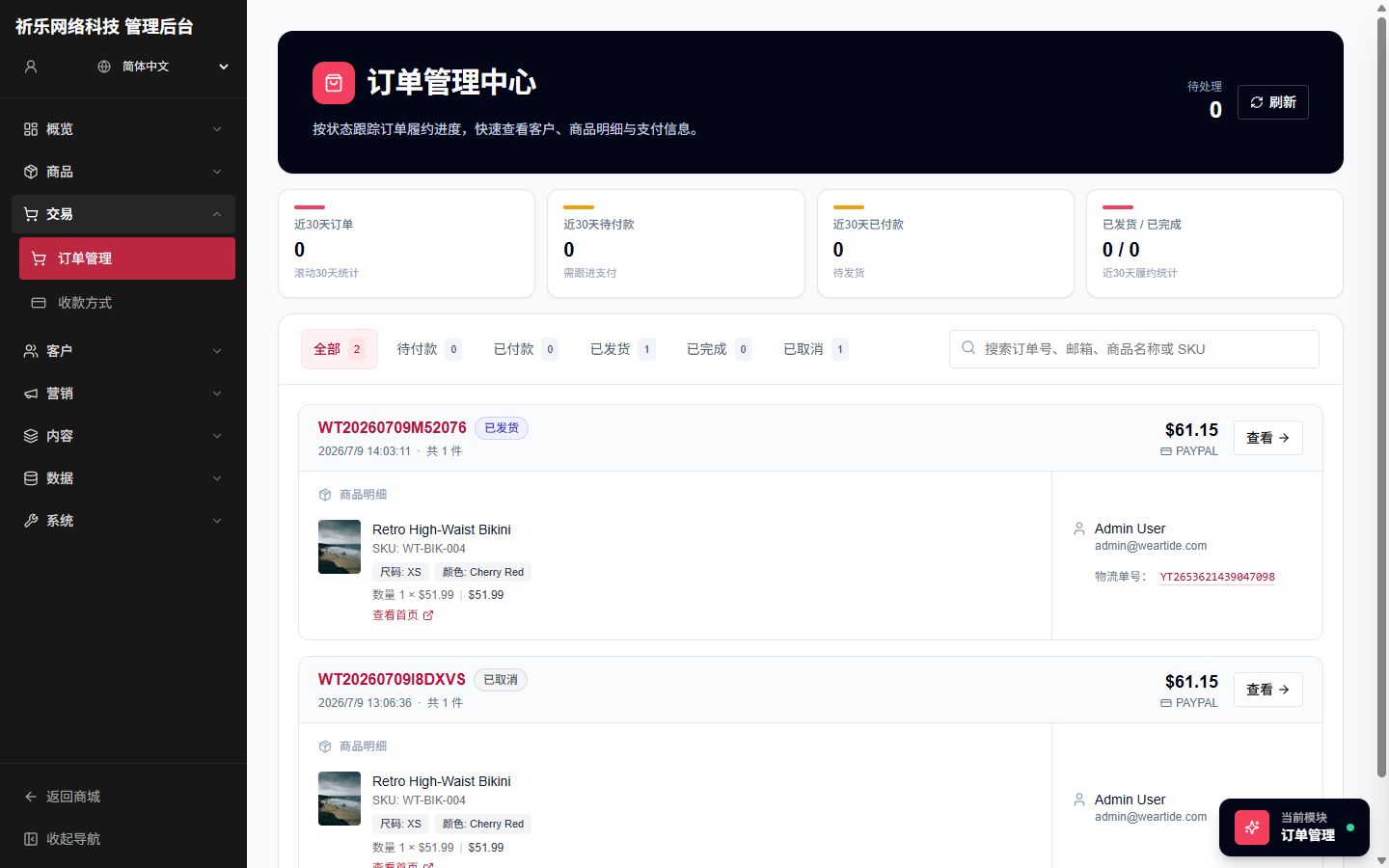
Order management screen

Commerce

Orders & Payments

Order fulfillment and payment methods

Handle order status, fulfillment, and payment configuration — from storefront checkout to back-office fulfillment for export stores and DTC brands.

  • Order lists and status workflows
  • Centralized payment-method setup
  • Works with customer and support modules
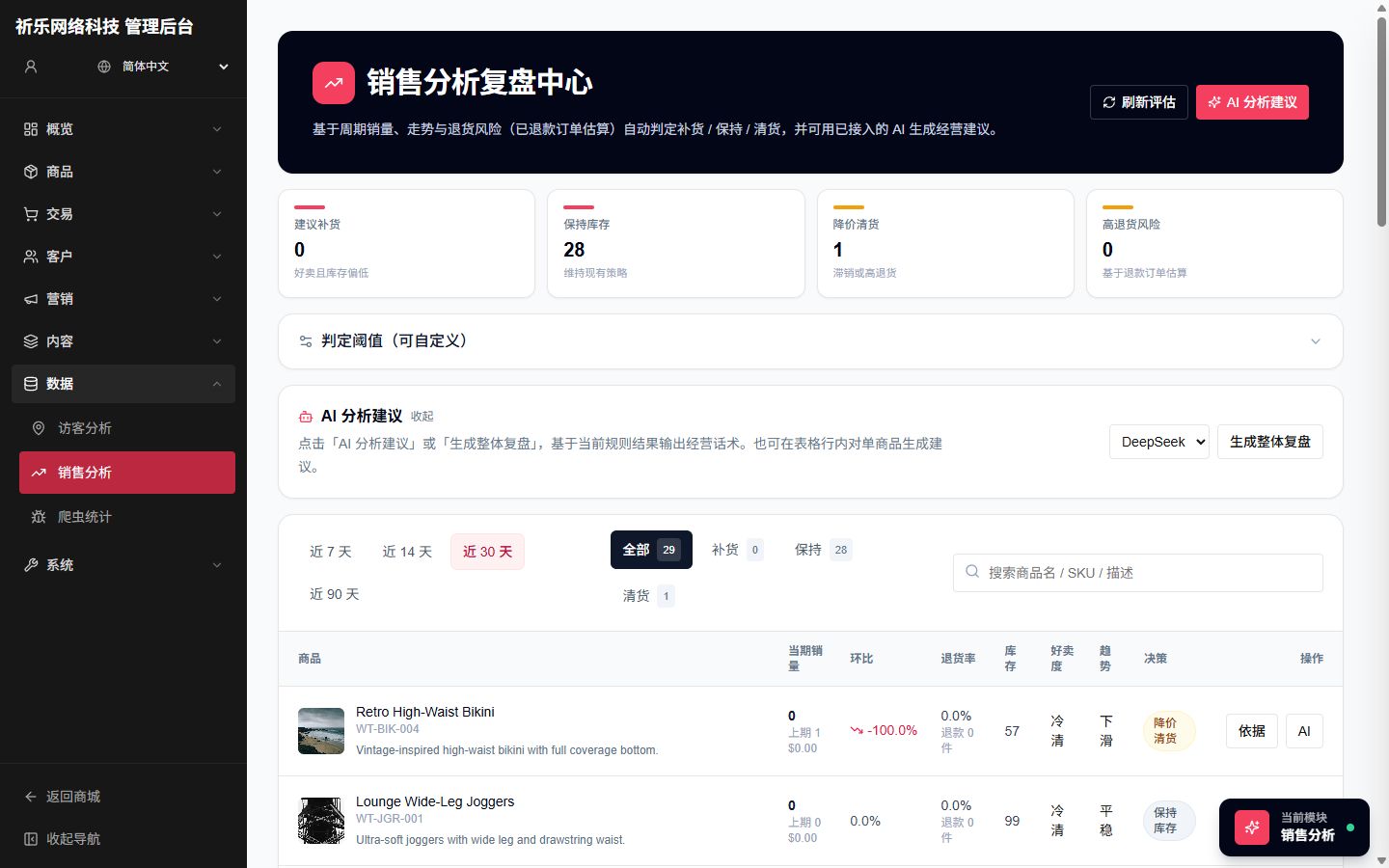
Sales analysis screen

Data

Sales Analysis + AI Advice

Rule-based labels plus readable AI recommendations

A rule engine flags hot/cold SKUs and restock signals first; optional LLM advice turns numbers into Chinese action plans. Rules still work when no model is configured.

  • HOT / COLD / restock rule labels
  • Portfolio or product-level AI advice
  • Advice grounded in real sales numbers
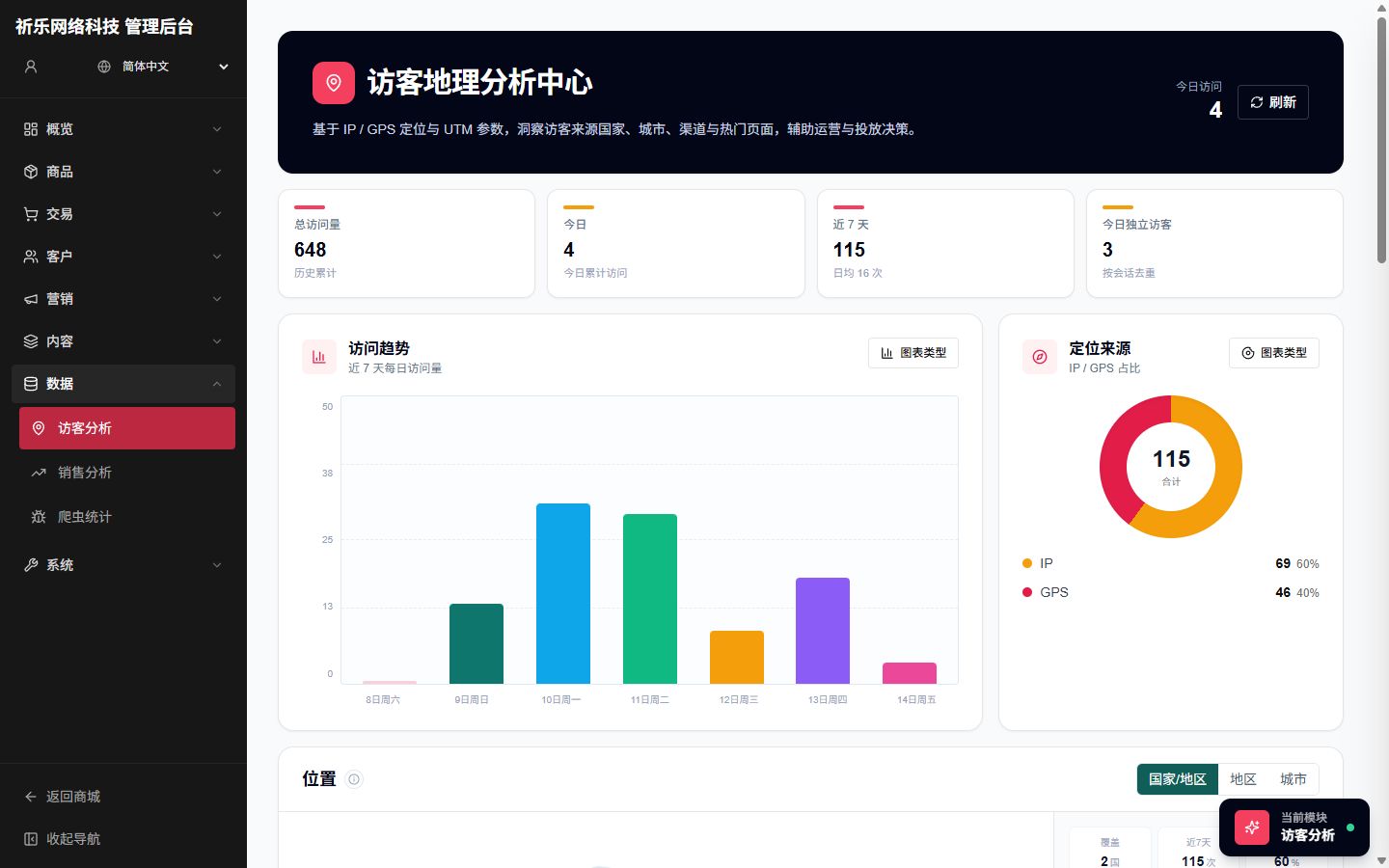
Visitor analytics screen

Data

Visitor & Crawler Analytics

Traffic behavior plus crawler visibility

See where visitors come from and what they view, plus crawler hit stats to judge indexing health for SEO and content teams.

  • Visitor source and behavior overview
  • Crawler stats for technical SEO
  • Cross-checks with SEO diagnostics
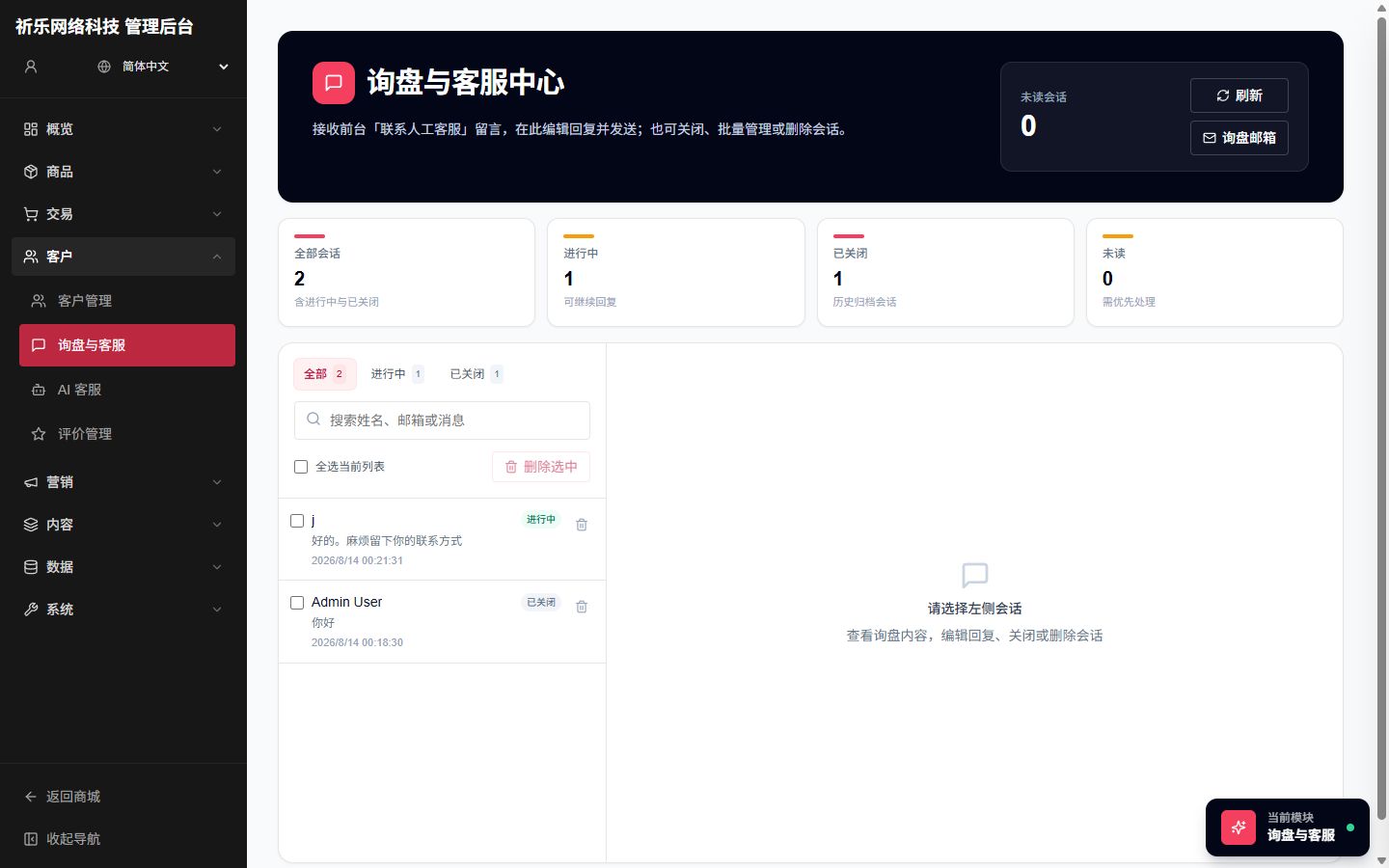
Inquiries and support screen

Acquisition

Inquiries & Support

Lead capture, conversation follow-up, mailbox sync

Website inquiries and live support threads land in one inbox, with inquiry mailbox settings so sales and ops can respond to leads quickly.

  • Inquiry threads with unread alerts
  • Centralized support conversations
  • Inquiry mailbox system settings

Tell us about your global growth goals

Fill out the form below and a consultant will reach out within 1 business day.